How to make onion domain for dark web
You can do this locally in your Linux:
sudo apt install gcc libsodium-dev make autoconf git
git clone https://github.com/cathugger/mkp224o
cd mkp224o/
./autogen.sh
./configure
make
./mkp224o -h
It makes directories with secret/public keys and hostnames for each discovered service. By default, the working directory is the current directory, but that can be overridden with -d switch.
Use -s switch to enable printing of statistics, which may be useful when benchmarking different ed25519 implementations on your machine.
Use:
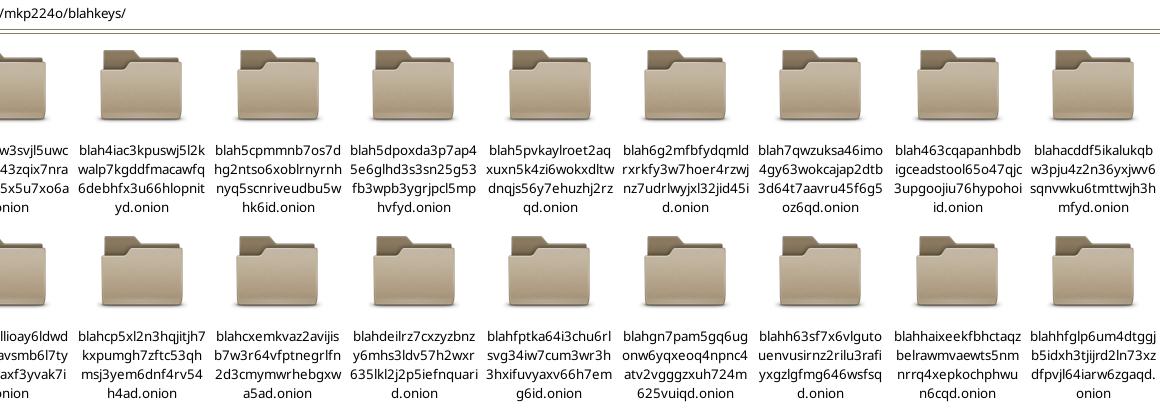
./mkp224o -s -d blahkeys blah – to not litter current directory and put all discovered keys in directory named “blahkeys”. Note: while blah = 4 letters give many results in seconds, if you hoose 6 letter you will wait about 10 minutes for one folder/domain and much longer for second one, and 7 letters several hours maybe whole day, depends from your CPU.
blah has only 4 letters and in one second you will get many onion folders, so, press ctrl + c to stop it. then go inside:
cd blahkeys
choose one onion folder you like and check hostname i.e. onion domain:
cd blah54as6d54….onion
sudo cat hostname
result: blah54as6d54….onion
cd ..
Copy that key folder to /var/lib/tor/
but you must have already tor installed:
sudo apt install tor && sudo systemctl enable tor && sudo systemctl start tor && sudo systemctl status tor
copy chosen folder:
sudo cp -r blah54as6d54….onion /var/lib/tor/blah54
You need to adjust ownership and permissions, this is critical – Tor refuses to start if permissions are wrong:
sudo chown -R debian-tor:debian-tor /var/lib/tor/blah54
sudo chmod -R u+rwX,og-rwx /var/lib/tor/blah54
sudo chmod 700 /var/lib/tor/blah54
Then edit sudo nano /etc/tor/torrc and add new service with that folder.
HiddenServiceDir /var/lib/tor/blah54/
HiddenServicePort 80 127.0.0.1:80
close editing and check is it OK:
sudo -u debian-tor tor –verify-config
After reload/restart tor should pick it up: sudo systemctl restart tor
if you want to see tor events and errors without log file: journalctl -u “tor.service”
Your site goes into classic web server folder, in Debian it is /var/www/html/
and configuration /etc/apache2/sites-available/ (blah54.conf or whatever else)
sudo a2ensite blah54.conf
sudo systemctl restart apache2
Visit your site in Tor Browser.
Next step is to learn how to harden/secure server + apache/nginx + website + mysql.
Possble errors:
1. Could not bind to 127.0.0.1:9050: Address already in use. Is Tor already running?
This means that the ports that Tor is trying to listen is taken by another process. Change tor port in torrc file and restart tor, or stop another instance of the tor service or find a program that occupies this port.
2. Directory /var/lib/tor cannot be read: Permission denied.
this happens when the tor process does not have sufficient permissions to access the /var/lib/tor folder.
You must start the tor process on behalf of the corresponding debian-tor or tor user as follows:
sudo -u debian-tor tor
3. /var/lib/tor is not owned by this user (root, 0) but by tor (43). Perhaps you are running Tor as the wrong user?
This means that you run Tor as root, and you need to run as debian-tor or tor user as follows:
sudo -u debian-tor tor